an agent whose job is configuring agents

Configuring Agents Shouldn't Require Thousands of Lines of Code
Move from code-heavy agent development to guided agent creation your teams can actually manage.
01 - ACCESS
Experts locked out
The people who know your SOPs can't translate them into agent logic without engineering help — so every change is a ticket.
02 - BLANK CANVAS
Starting from nothing
Flowchart tools put teams in front of a blank canvas. You don't need more nodes to drag — you need the agent drafted from what you already know.
03 - INTEGRATION
Tool wiring is bottleneck
Even when you can describe the flow, connecting it to CRM, backend systems, and APIs is where teams get stuck — or get it wrong.
SOPs become Operating procedures for your agents
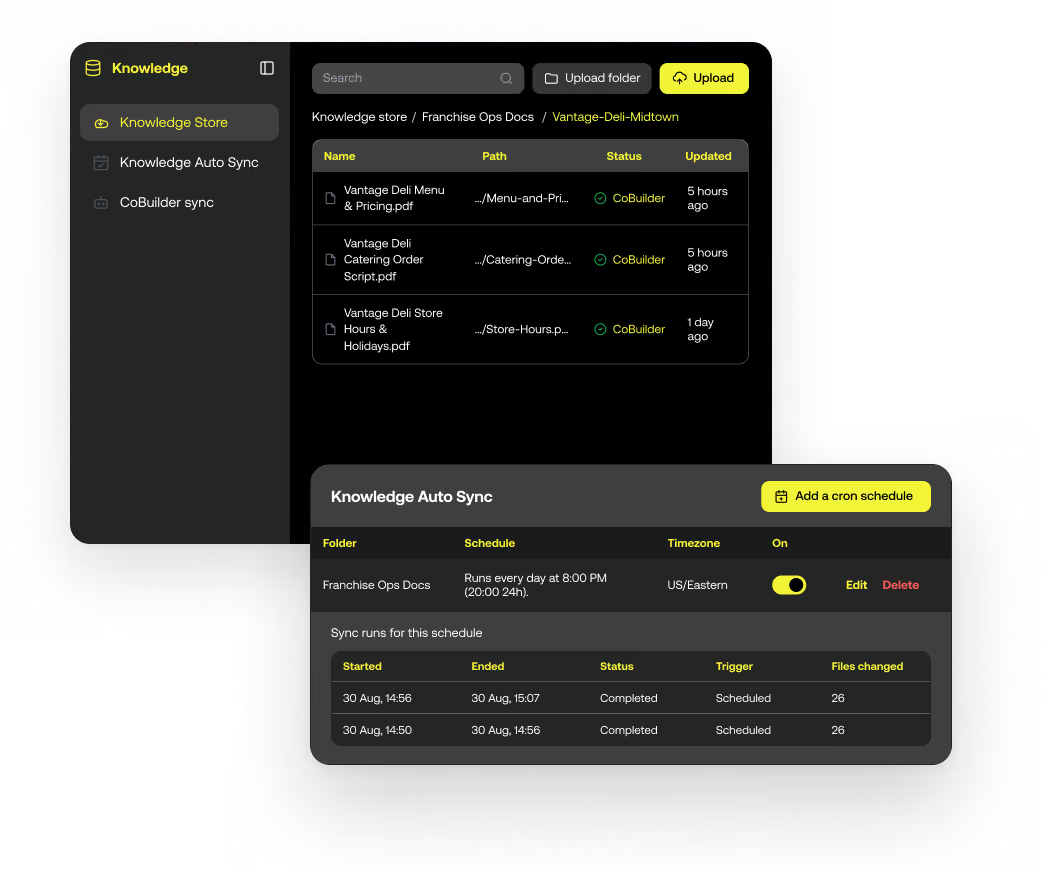
CoBuilder reads your existing policies, procedures, and knowledge base — and identifies the steps, decision branches, required data points, and compliance checkpoints. No flowchart nodes to draw. No guesswork about what data to fetch.
Ingest from Context Center — policies, KBs, and process docs already in Observe.AI.
Maps decision logic — branches, fallbacks, and edge cases surfaced automatically.
Compliance checkpoints from your QA rubrics baked in by default.
Section Heading to edit from right side panel
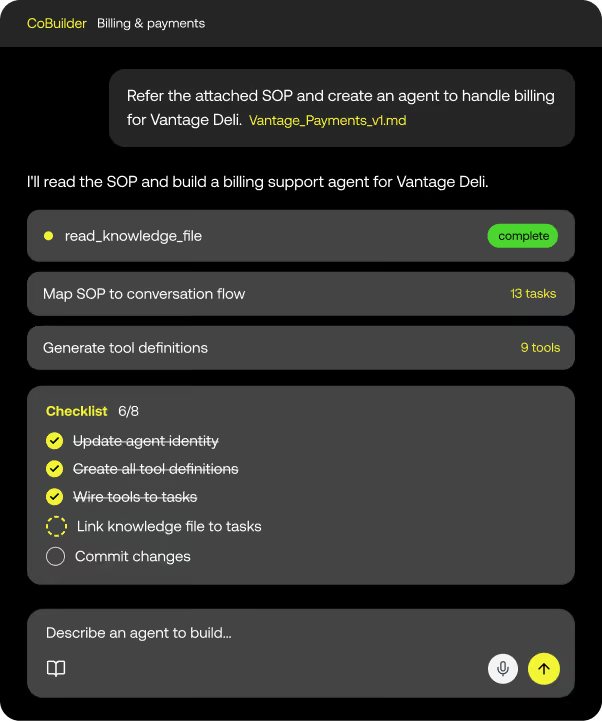
Type what you want the agent to do. CoBuilder maps the conversational flow, picks the right actions, and writes the agent in your workspace — asking clarifying questions when it needs them, not just guessing.
No engineering required — CX leads, QA managers, and ops teams can author.
Iterative & collaborative — refine in plain English, not in node editors.
Generates a Safe Workspace version — reviewable, testable, never live until approved.
.avif)
Section Heading to edit from right side panel
CoBuilder knows which APIs, CRM connectors, and data sources are available through the Integration Fabric — and wires the agent to them automatically. No manual tool configs, no integration tickets.
Aware of your connected stack — CRM, telephony, ticketing, and custom APIs.
MCP-native — new tools registered in the Fabric are instantly available to CoBuilder.
Permissioned and governed — every tool call respects the access controls your team defined.
.avif)
Section Heading to edit from right side panel
CoBuilder is the authoring layer. Agent Harness is the lifecycle — where the workspace is versioned, tested against simulated conversations, gated by your reviewers, and released incrementally when it's ready.
All CoBuilder output is a workspace draft — isolated from live traffic.
Simulation & testing before promotion — via Agent Harness pre-launch checks.
Full reviewer approval required before any version touches real customers.
CoBuilder is the start of the lifecycle. And how you grow.
Author here. Then version, test, gate, and release in Agent Harness — with Interaction Intelligence and the Integration Fabric powering both.

Go from SOPs to working agent – today
See CoBuilder turn your SOPs into a testable, deployable agent —in plain English.